
You must be within 30 days of your subscription renewal date to cancel.
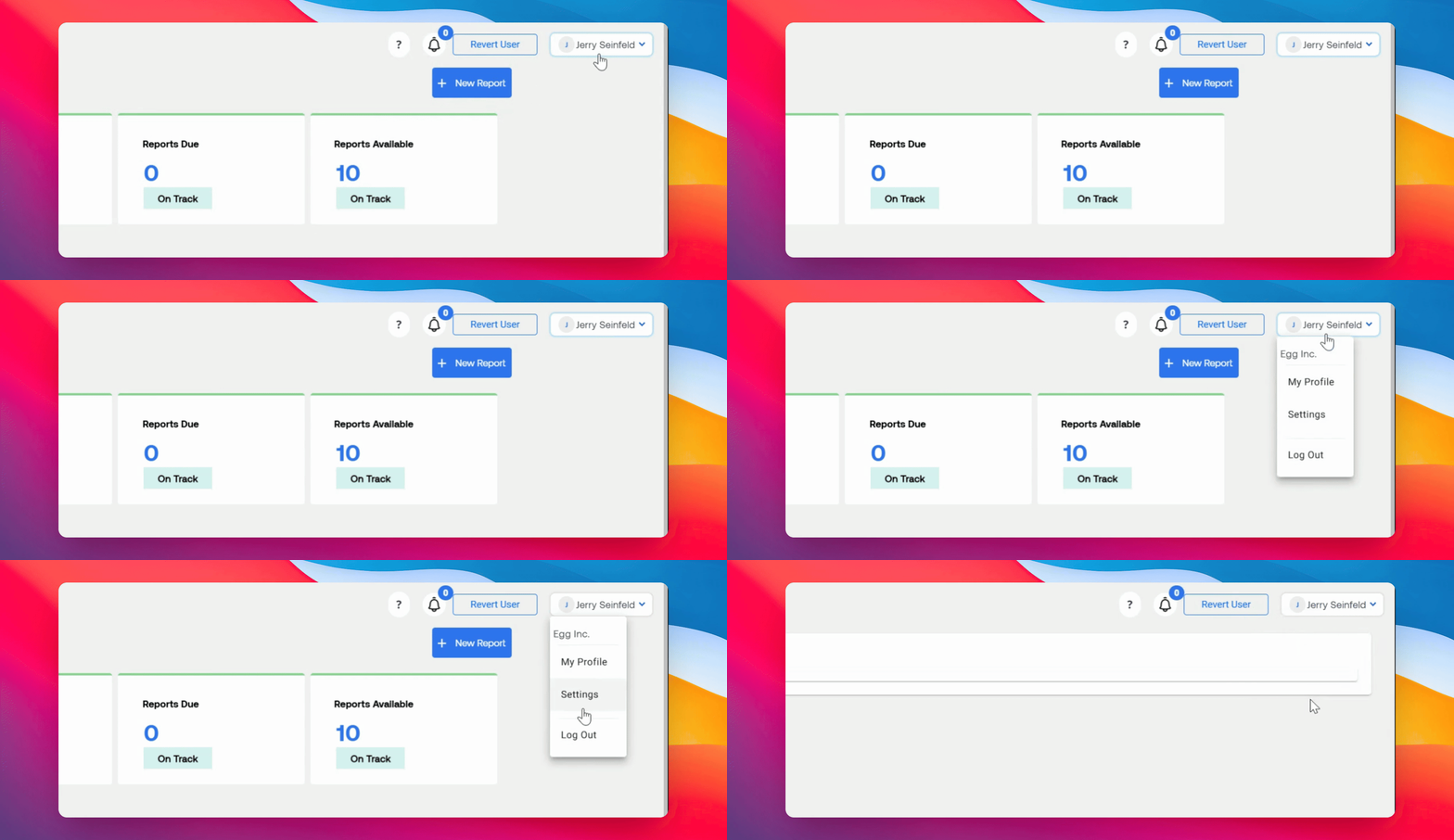
Step 1: Open Settings
On your dashboard, click your name in the top right corner. From the drop-down menu, select Settings.
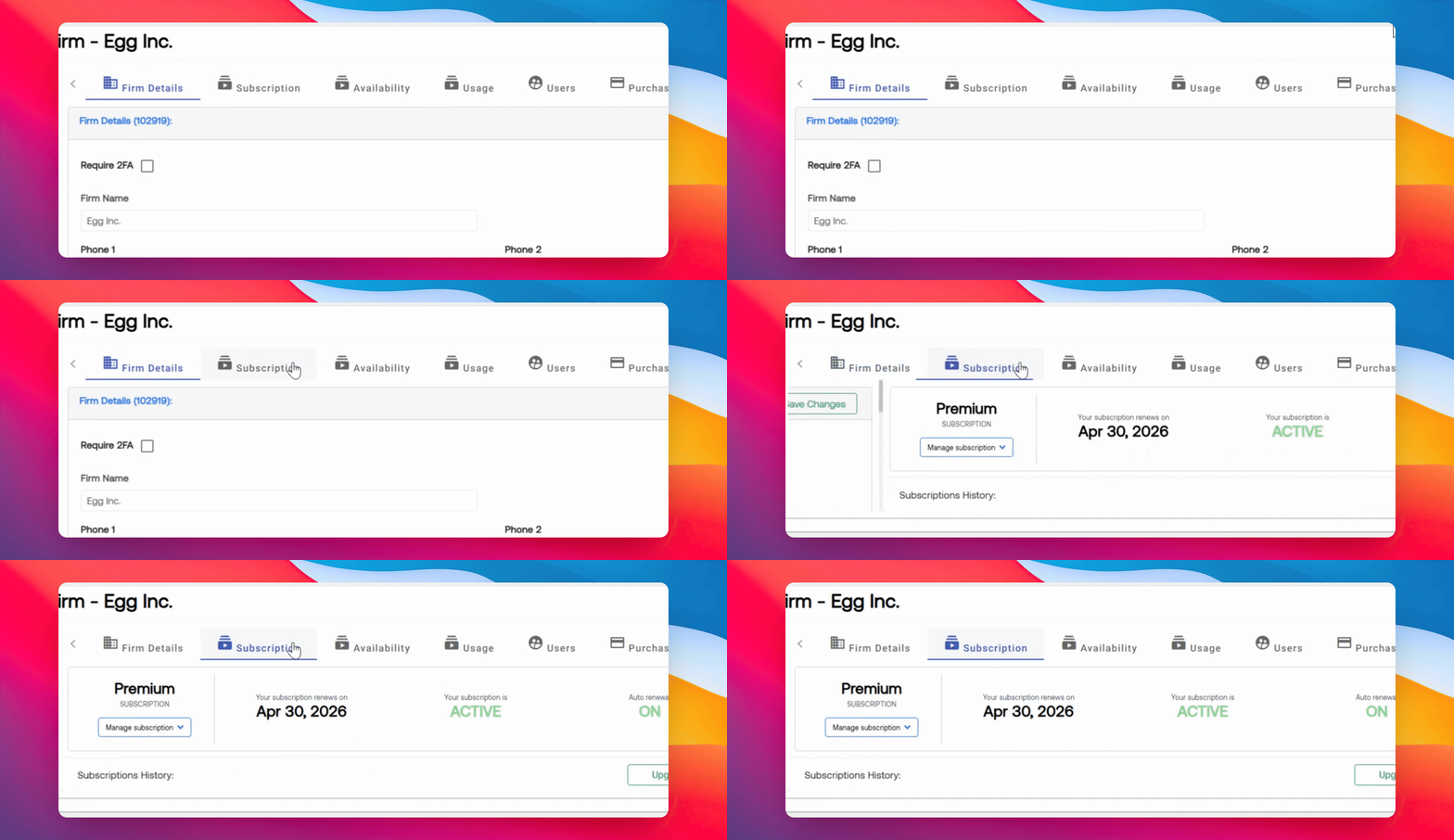
Step 2: Go to Subscription Tab
Navigate to the Subscription section. Here, you will see your subscription date.
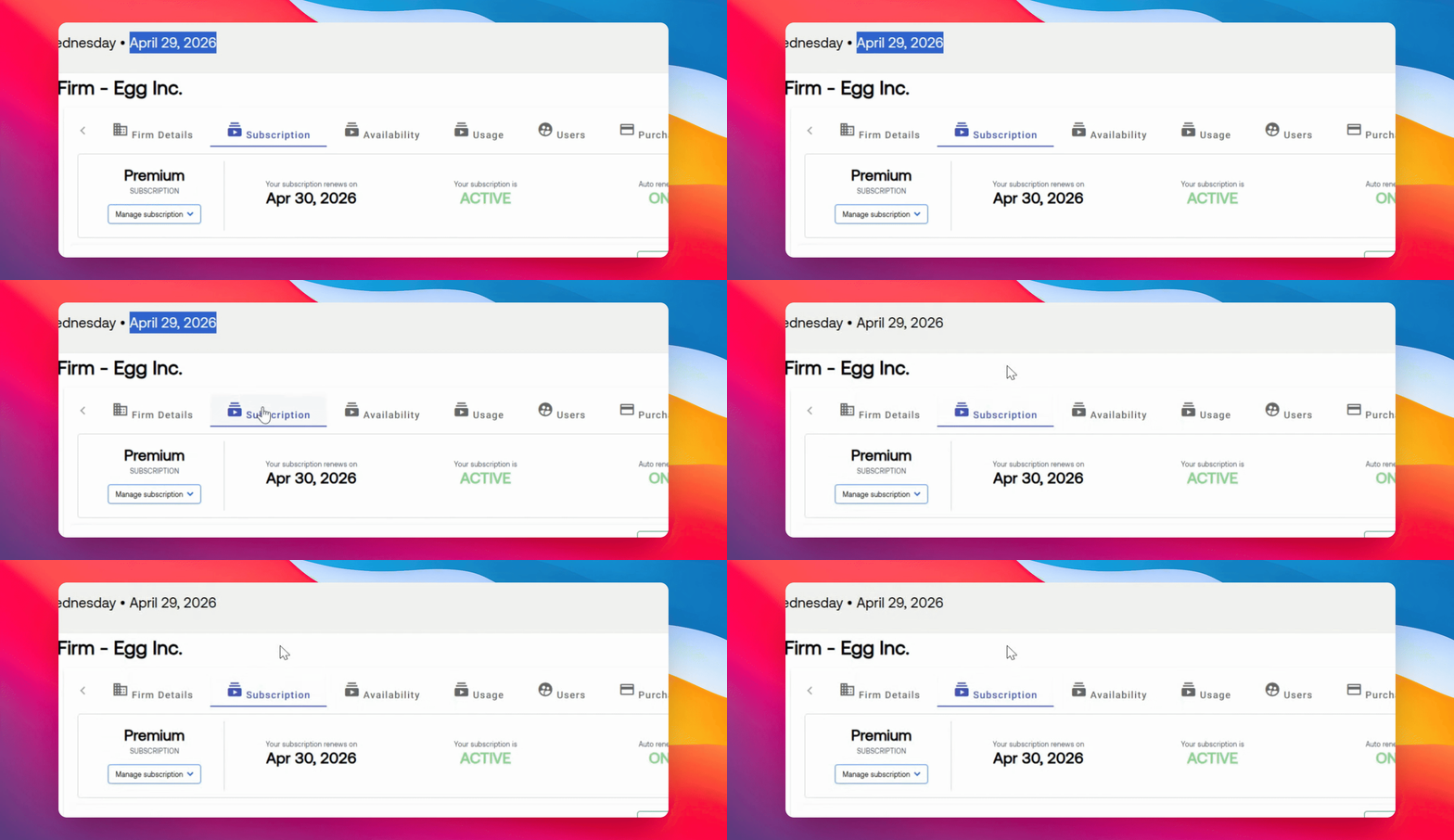
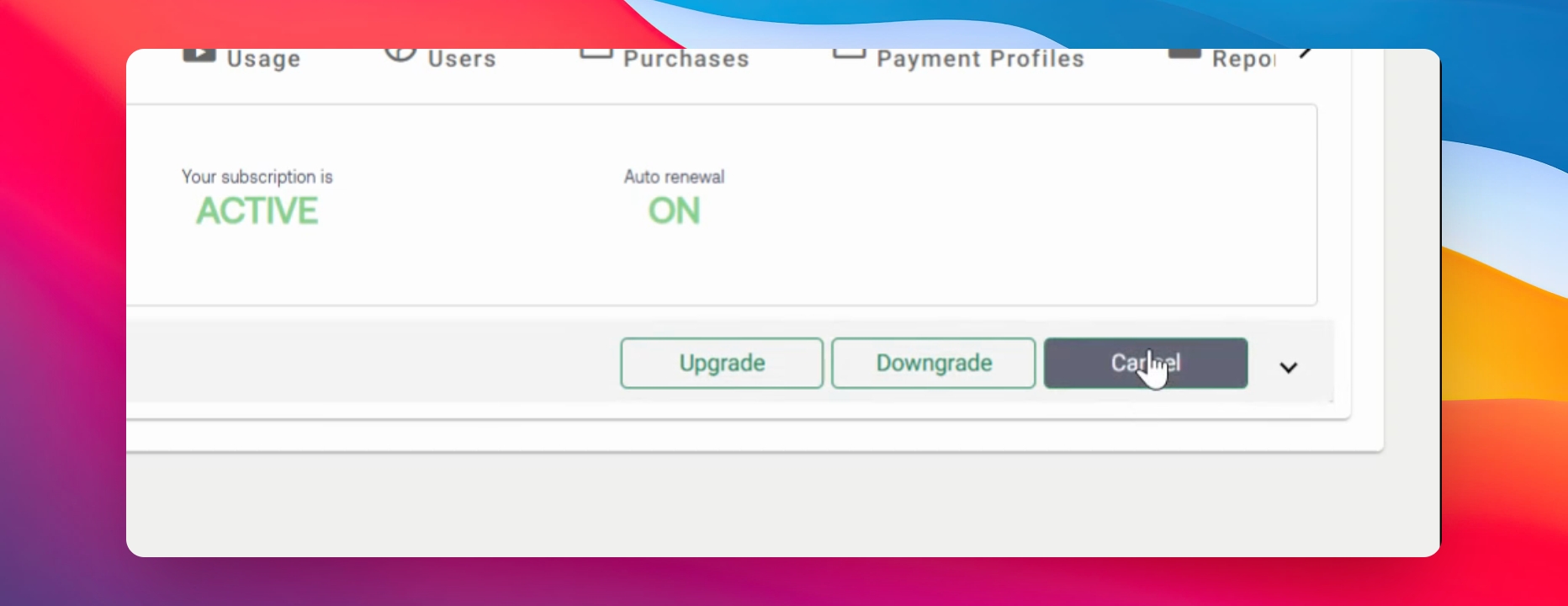
Step 3: Cancel Subscription
If you are within the 30 day window, click the Cancel option in the Subscription tab to cancel your subscription.
For questions or concerns, contact RCReports at 720-279-8800 or support@rcreports.com