

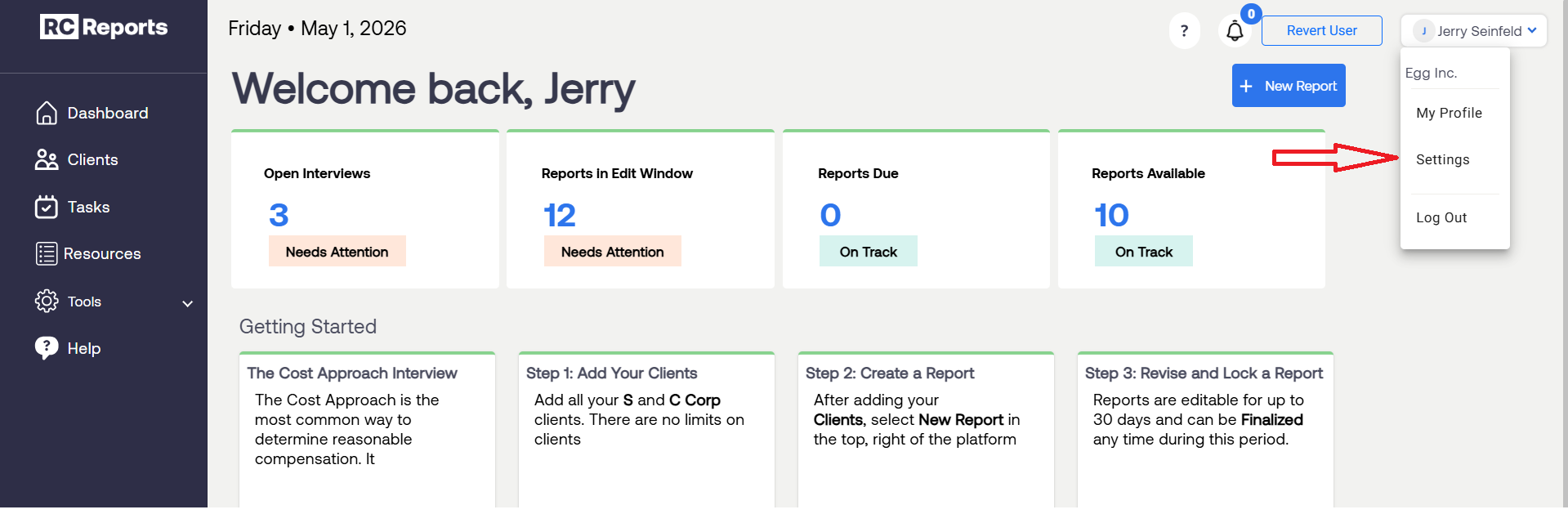
From the RCReports Dashboard, navigate to Account Settings.
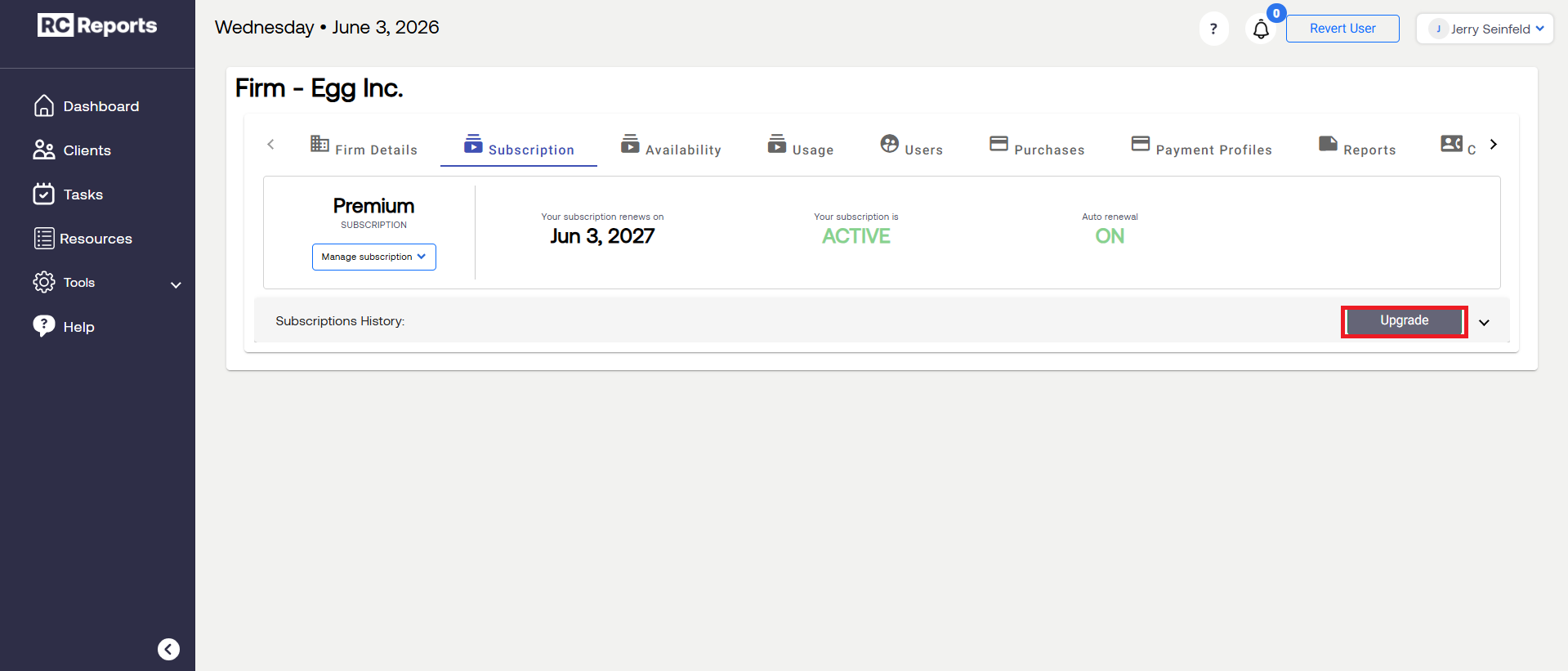
Select the Subscription tab and then click the Upgrade button.
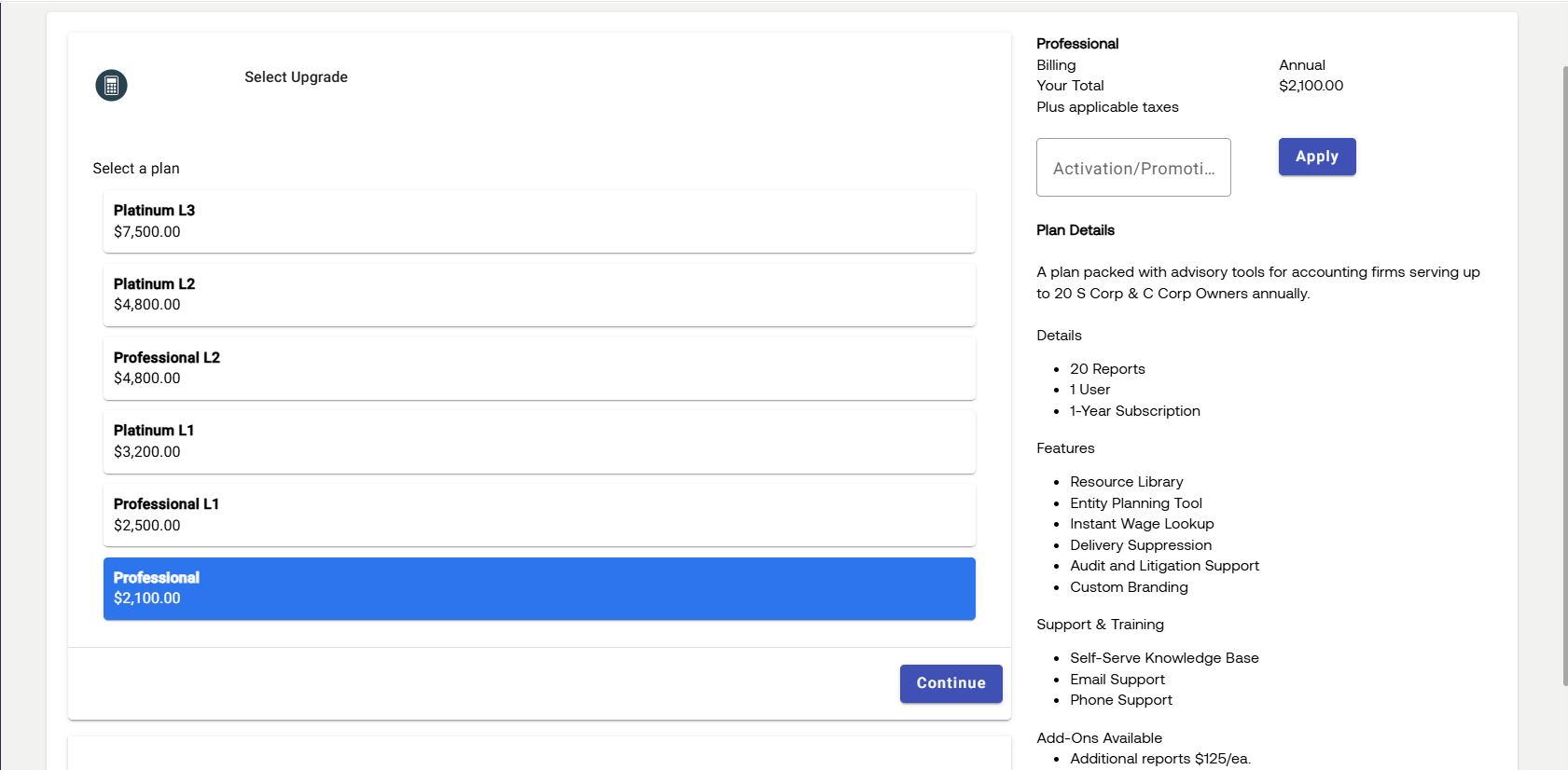
A list of subscription upgrade option will appear displaying details and features of each plan.
Note: Upgrading your subscription does not reset your subscription period. Your renewal date will remain the same, and your subscription will renew on the upgraded tier at the end of your current term.
For questions or concerns, contact RCReports at 720-279-8800 or support@rcreports.com