
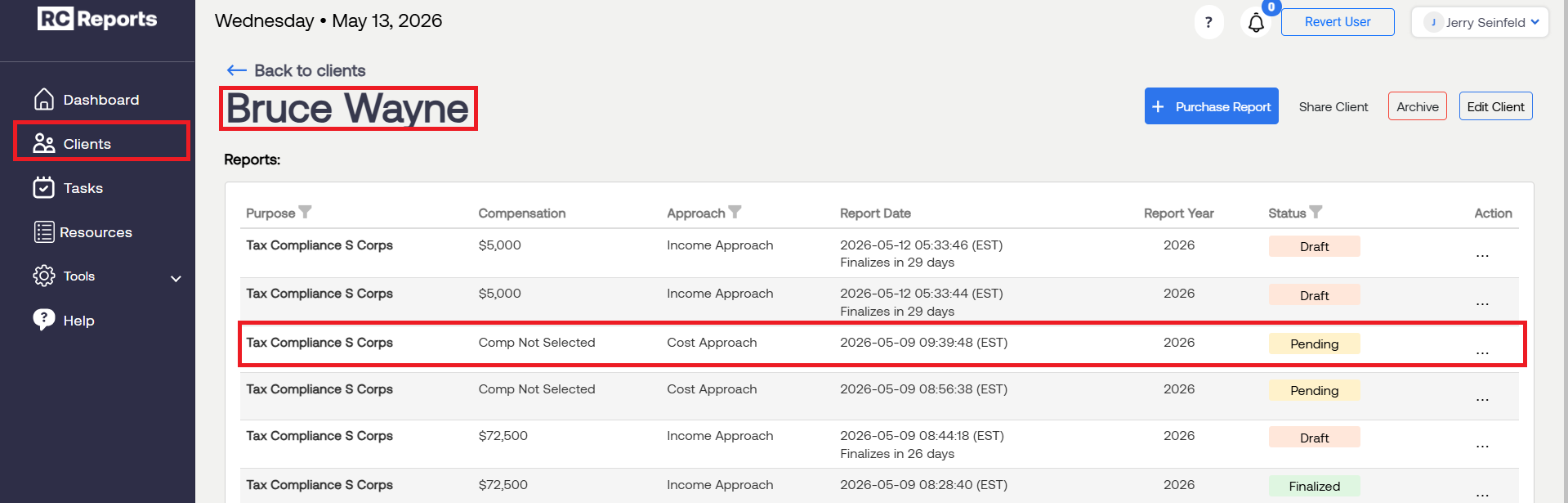
First, select the Client and Report that has the open interview.
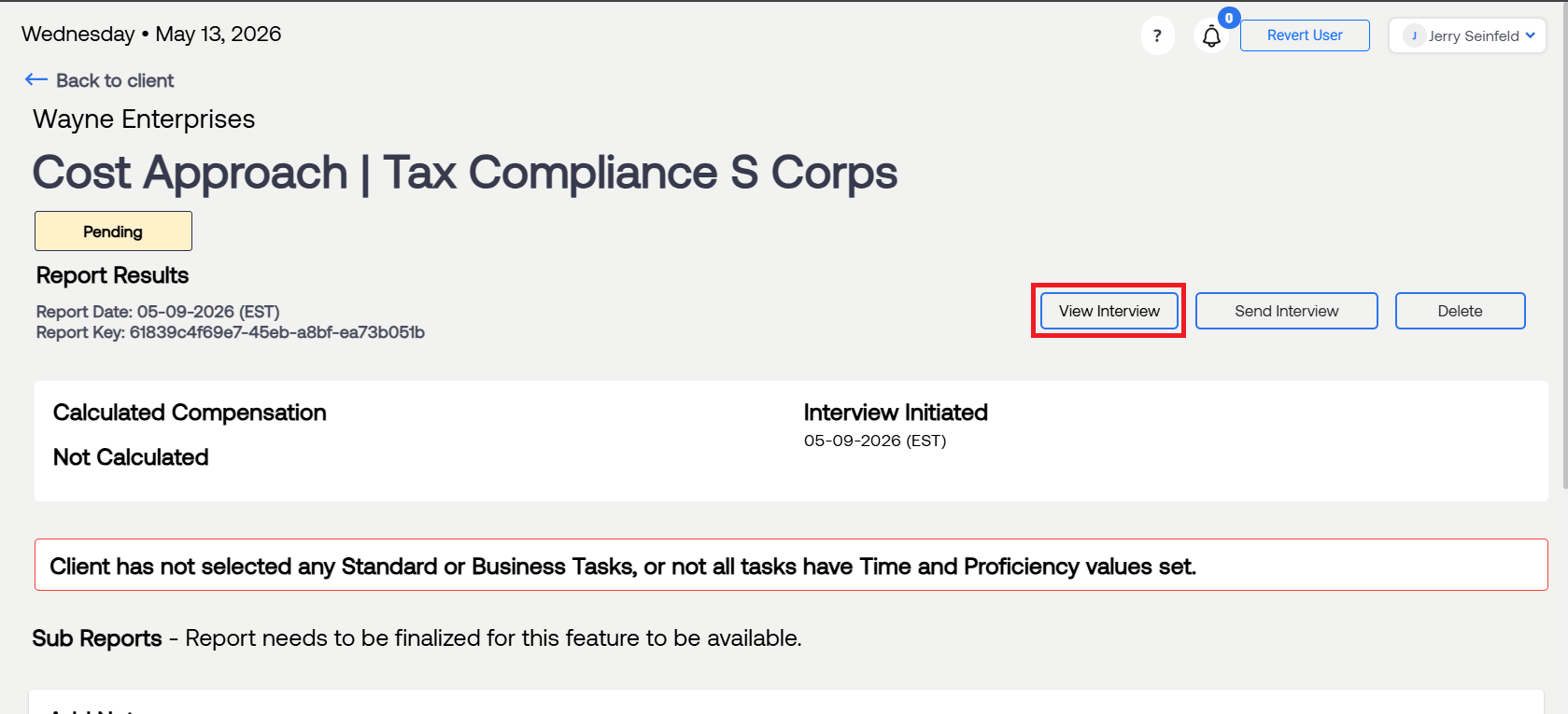
To extend this window, open the client interview by selecting View Interview. This will automatically start a new 7-day timer on the client interview.
Note: While there is no visual timer, the 30-day window for the client interview begins on the day the report is generated.
For questions or concerns, contact RCReports at 720-279-8800 or support@rcreports.com