
Send a Client Interview Link (Cost Approach)
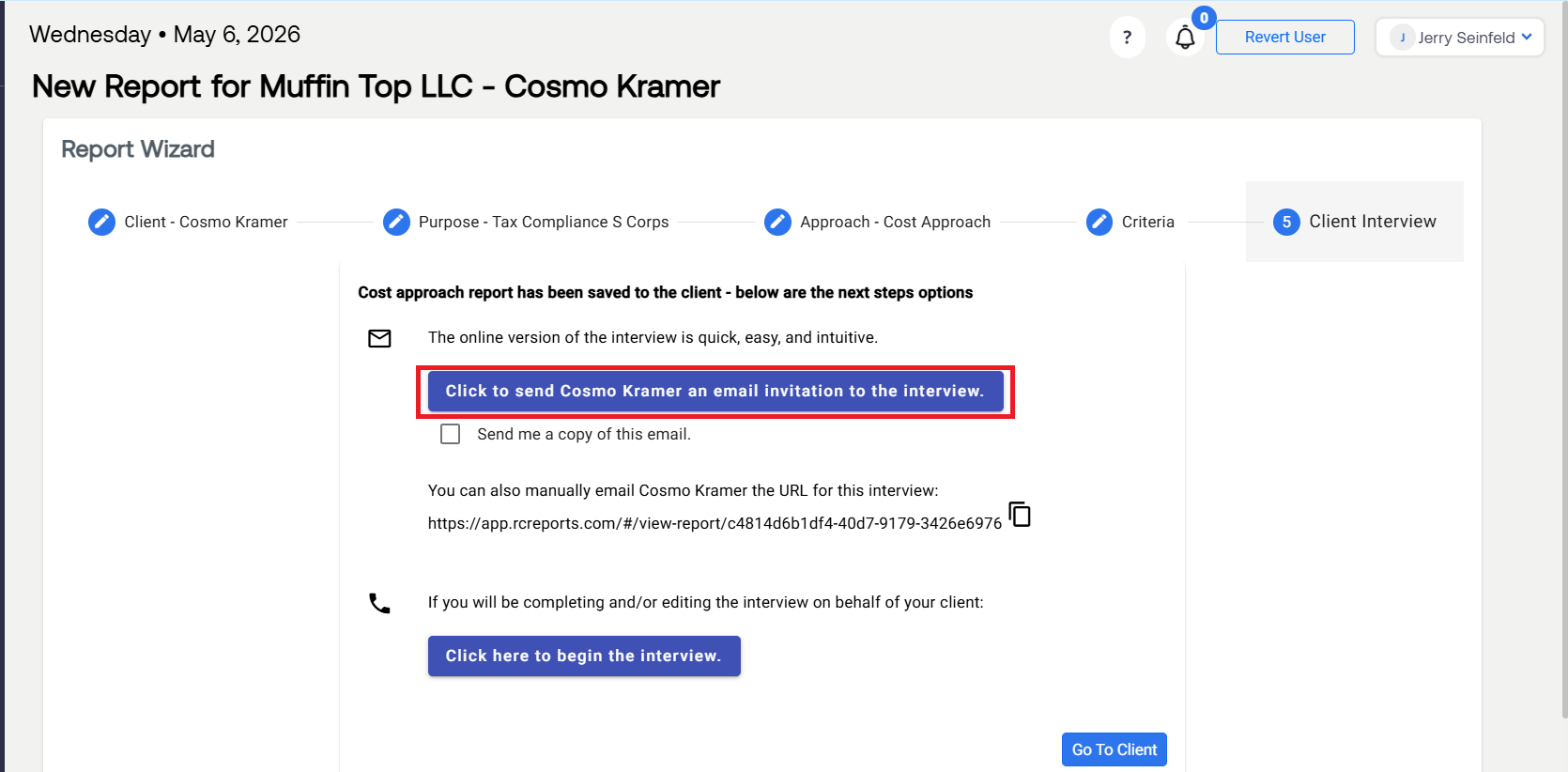
In the final step of creating a Cost Approach Reasonable Compensation Report, you will be given the option to email the Reasonable Comp Interview to your client.
I the final step, select the button that says Click to send (Client) an email invitation to the interview. Once clicked, a link to access the Reasonable Comp. Interview will immediately send to your client.
To ensure your client receives the email, select Send me a copy of this email. This will copy you on the email to your client.
Note: The email will be sent from "no-reply@rcreports.com."
If your client says they did not receive your email:
Double check the email associated with their RCReports client profile.
Have your client check their Junk Folder.
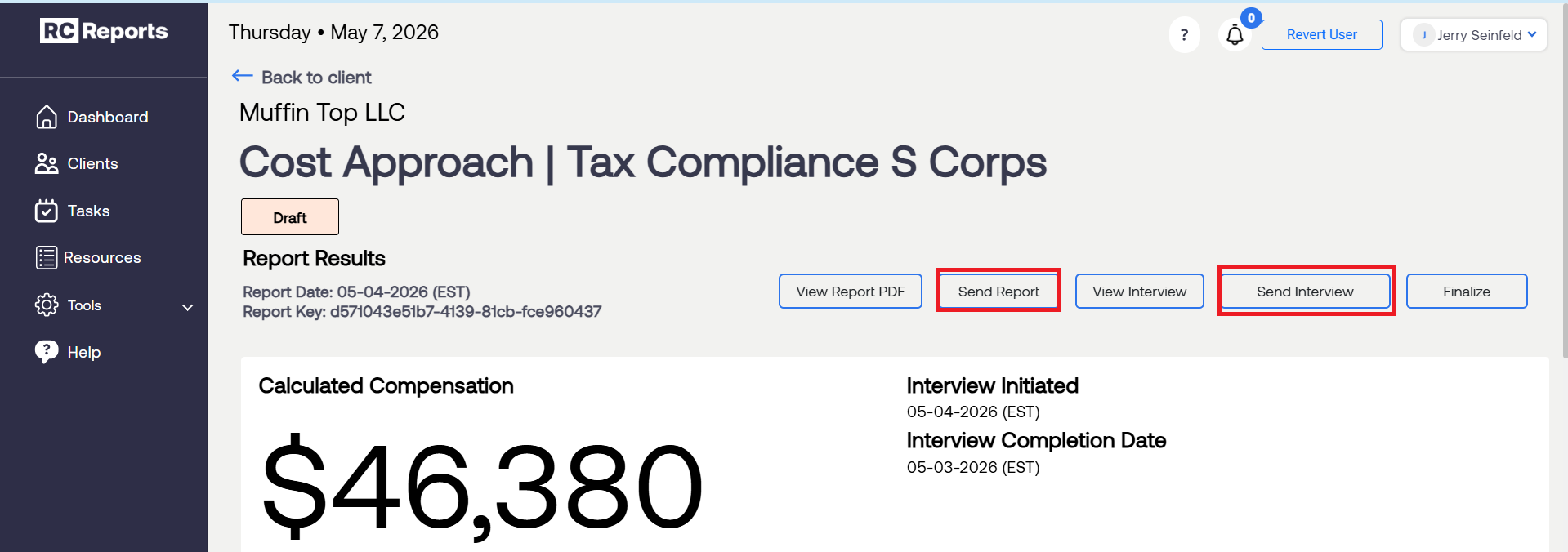
Send a Reasonable Compensation report or Interview Link (after report is generated):
After a report is generated, you can send your client a copy of their Reasonable Compensation Report or Client Interview link as shown below.
For questions or concerns, contact RCReports at 720-279-8800 or support@rcreports.com