
Click Here to view a sample of an Income Approach Reasonable Compensation Report.
The Income Approach Interview
Select the client you wish to run a report for from the Clients tab, and then click New Report.

Select the Report Purpose and click Next.
Tip: For more information on each purpose hover over the question mark icon.

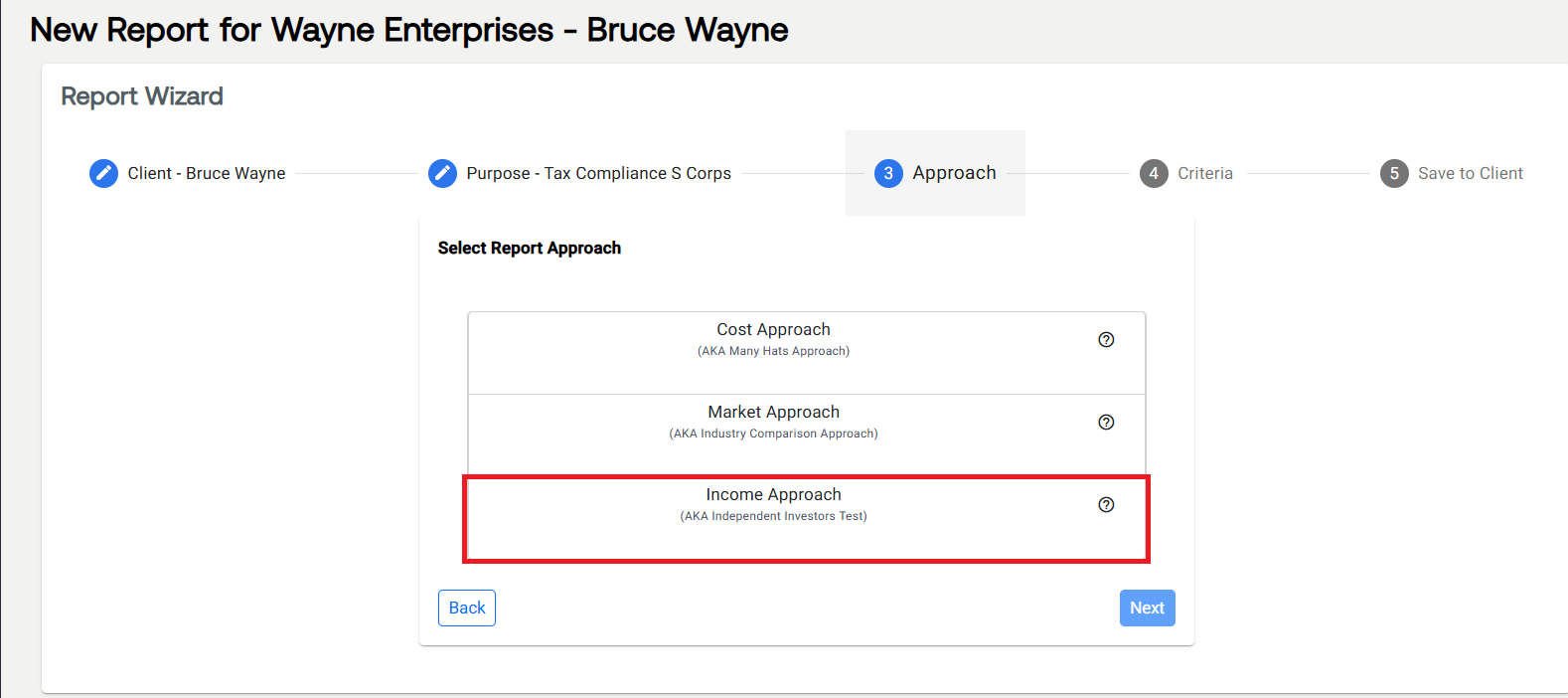
Select Income Approach and click Next.
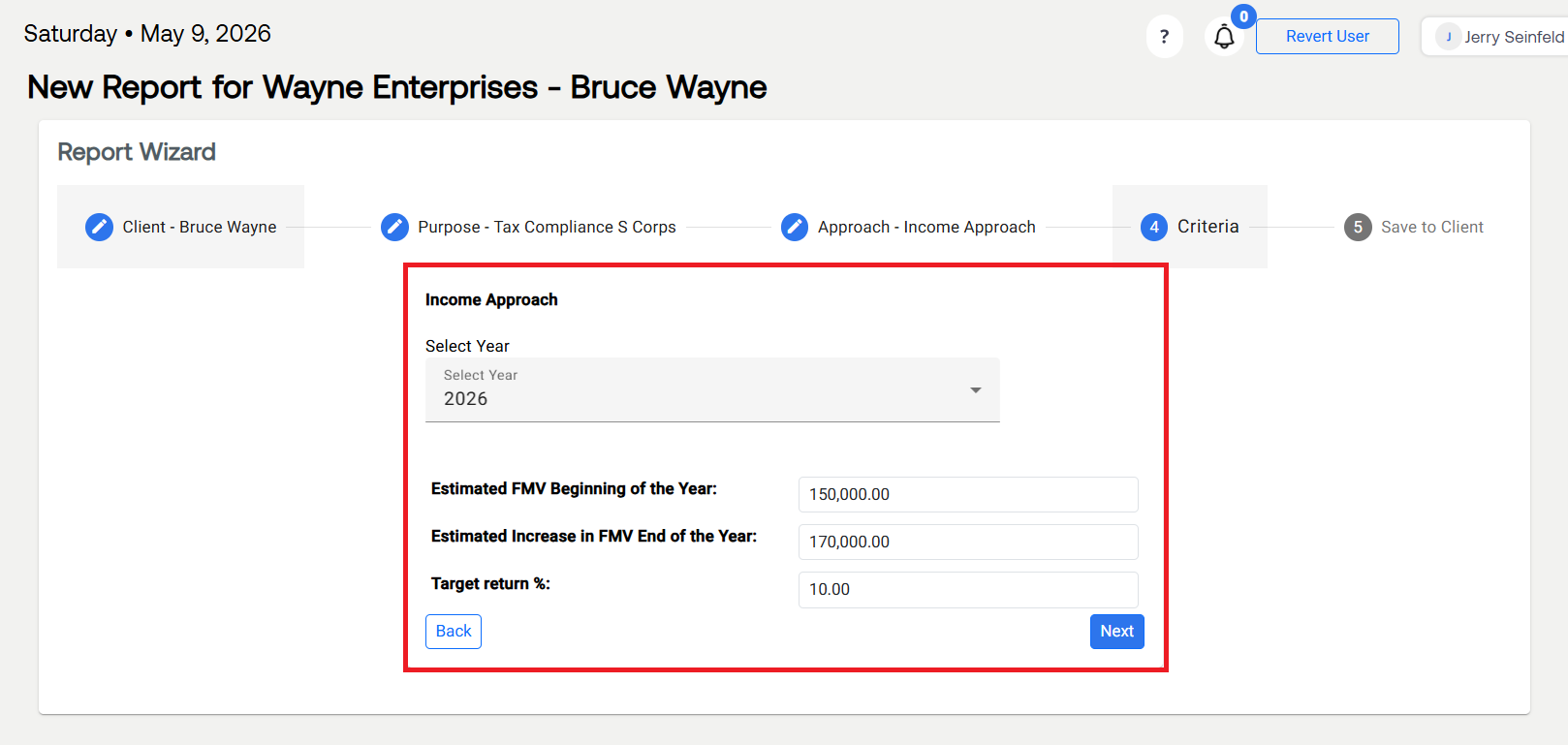
Select the Year and input all required information, then select Next.
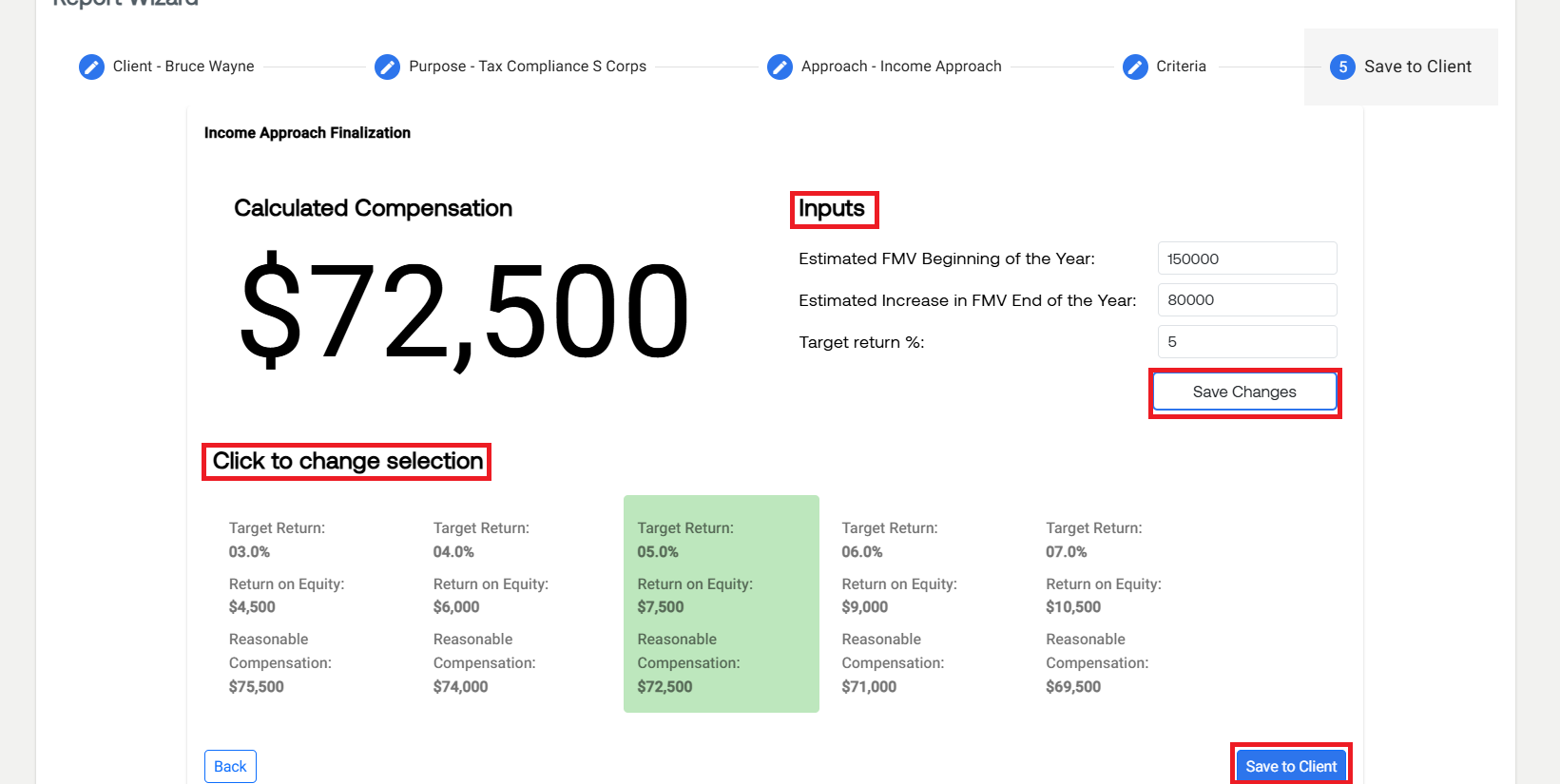
Select the Target Return / Return on Equity / Reasonable Compensation you’d like to use and select Save to Client
The report is now saved and can be viewed in the Client’s profile by selecting View PDF under the Action icon.
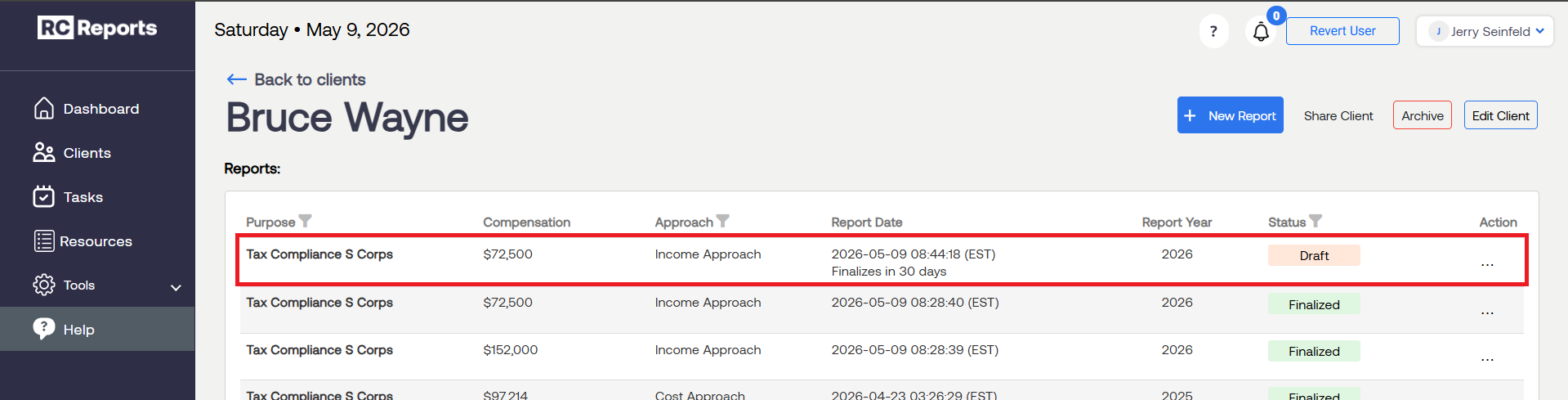
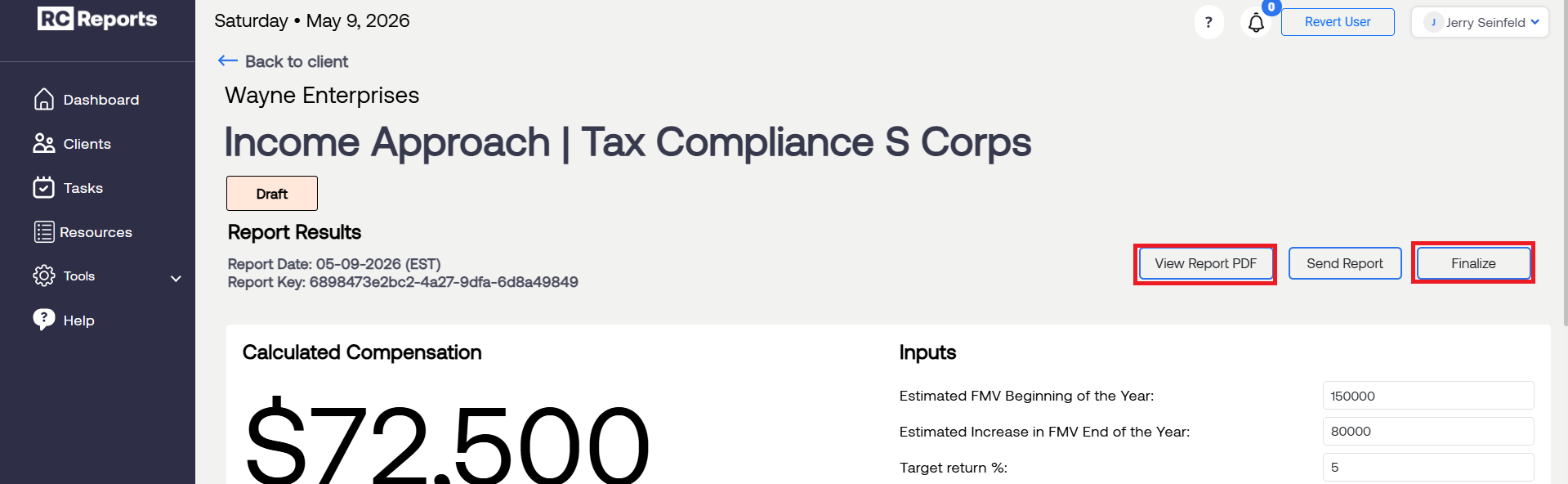
Note: You can Finalize the report any time before this. Click Here to learn how.
For questions or concerns, contact RCReports at 720-279-8800 or support@rcreports.com