

Note: Custom Branding (including logos) is only available for Professional and Enterprise Subscribers.
Manage Firm Details
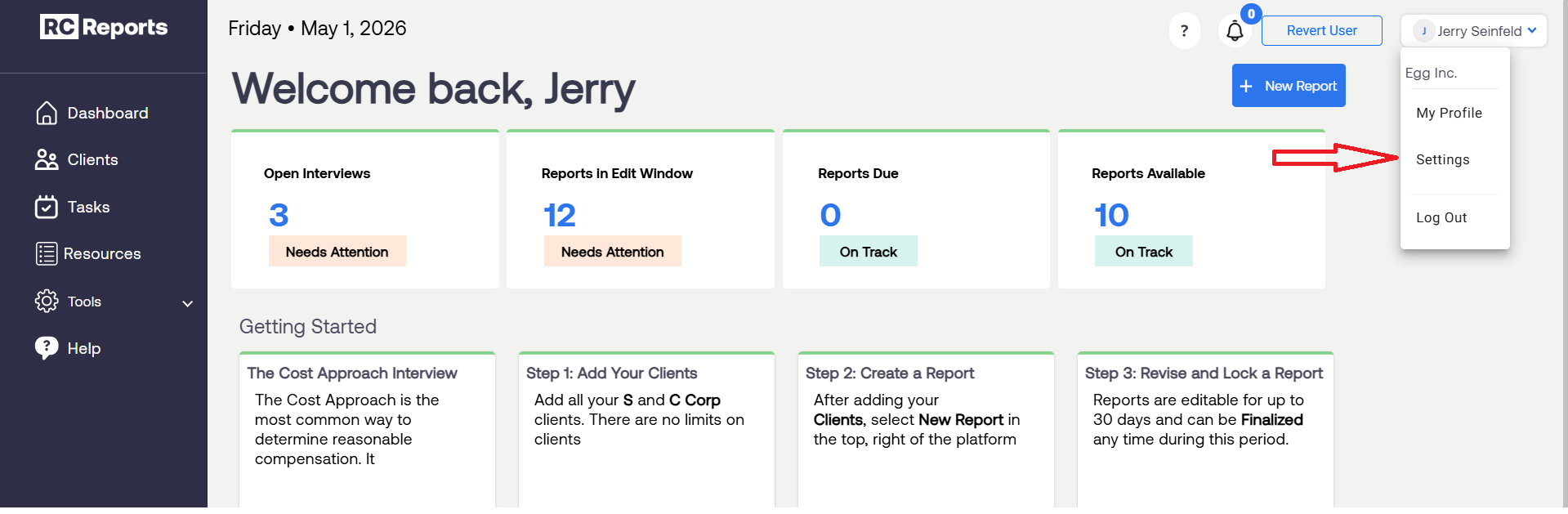
Click your name in the top, right corner and select Settings.
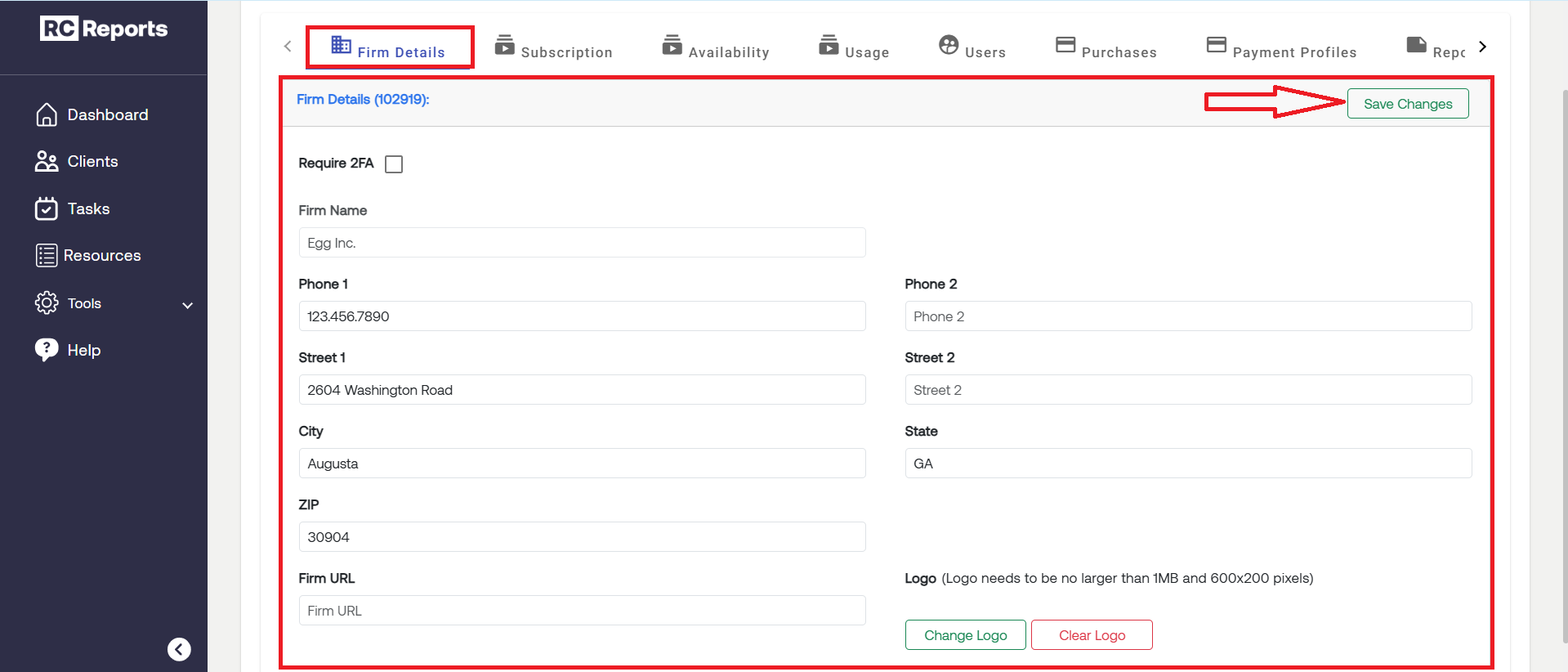
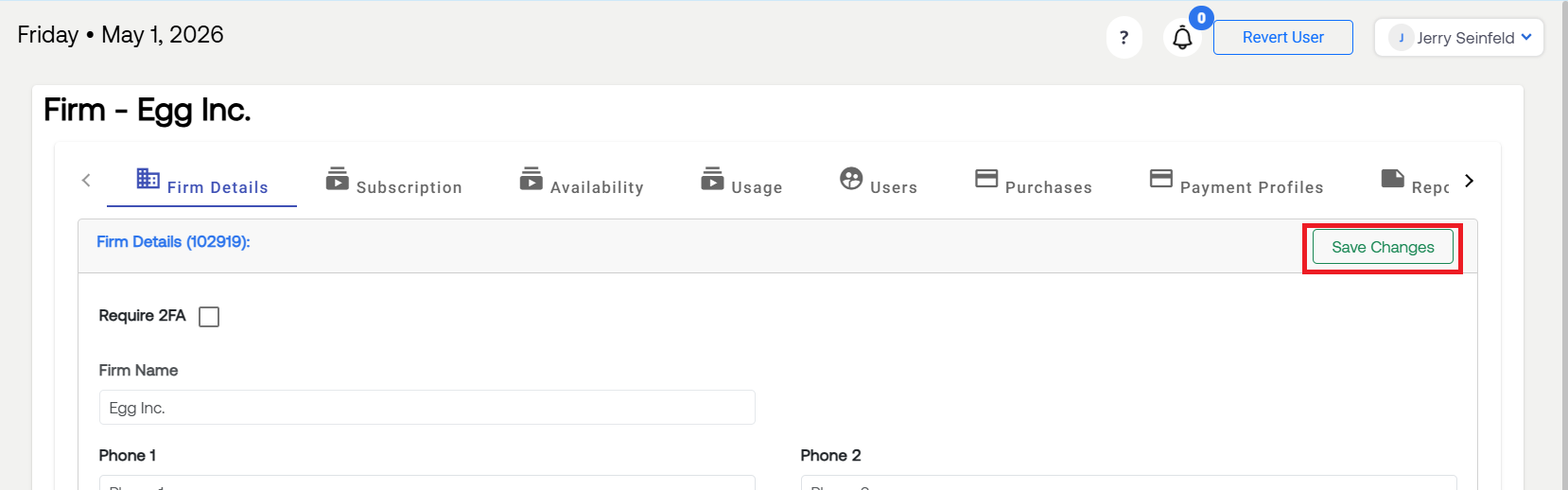
Input your firm’s details, including Firm Name into the appropriate fields and select Save Changes.
Upload Firm Logo
The logo you upload into RCReports will be added to the header of all Reasonable Compensation and Entity Plan Reports for Professional and Platinum subscribers.
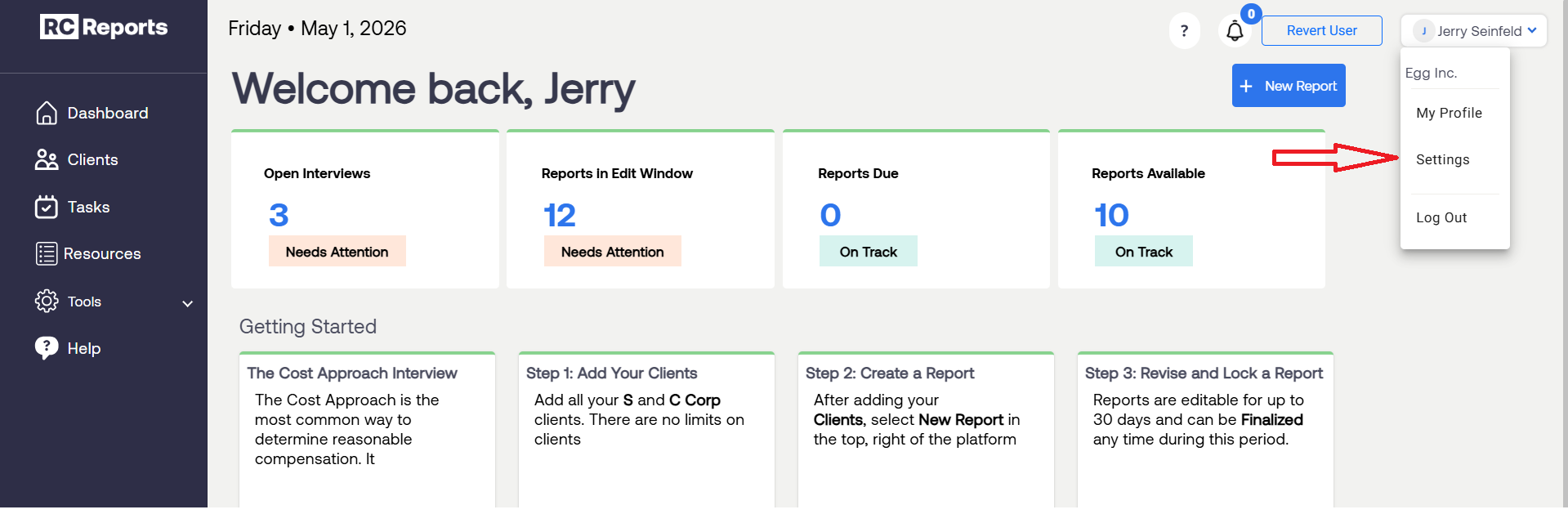
Click your name in the top, right corner and select Settings.
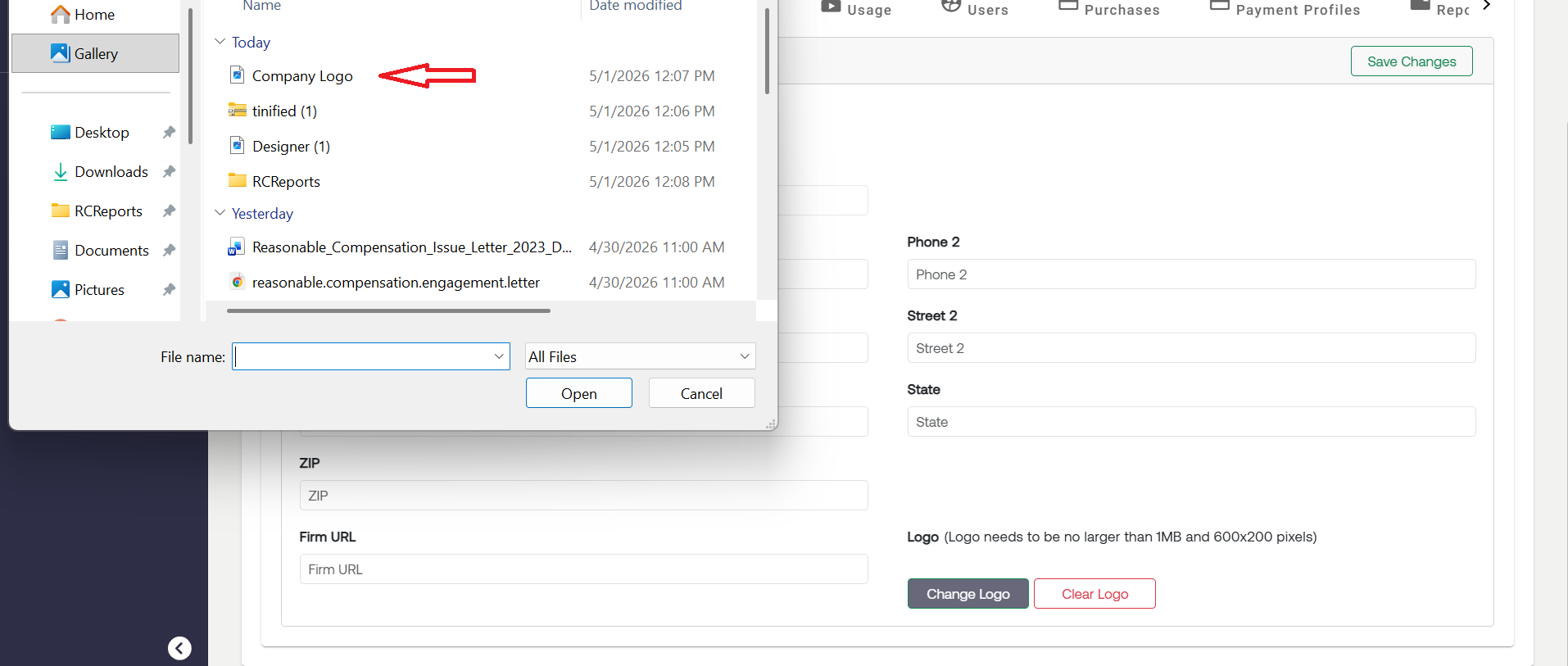
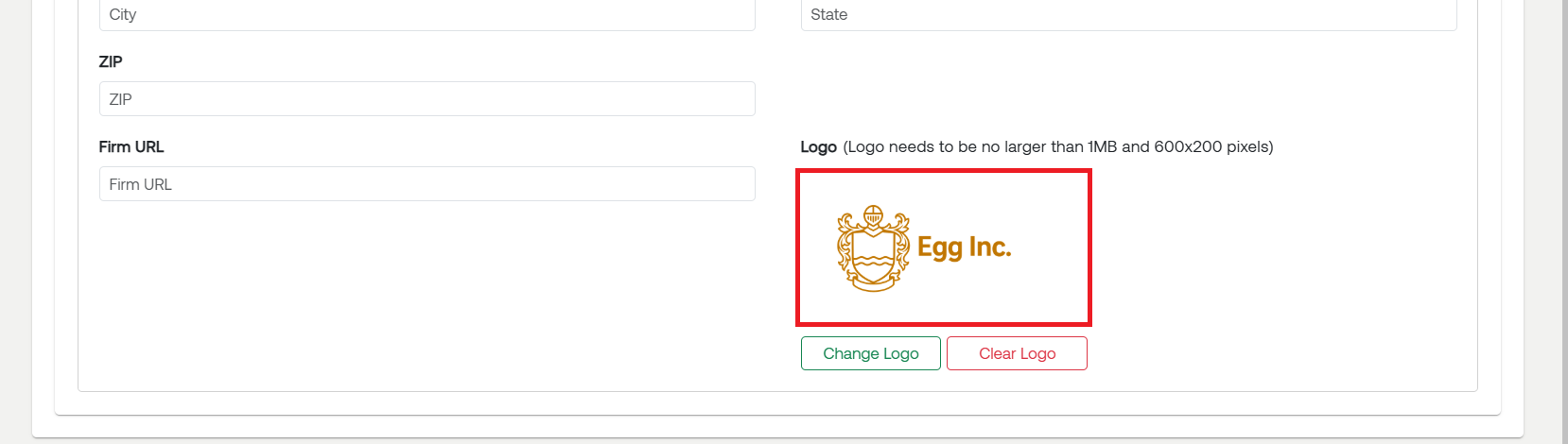
From the Firm Details tab select Change Logo.
Select the .jpg or .png file you would like to upload into RCReports.
Once your logo is showing, select Save Changes.
Note: The file you use needs to be no larger than 1 MB and less than 600 x 200 pixels.

For questions or concerns, contact RCReports at 720-279-8800 or support@rcreports.com