

Required Information
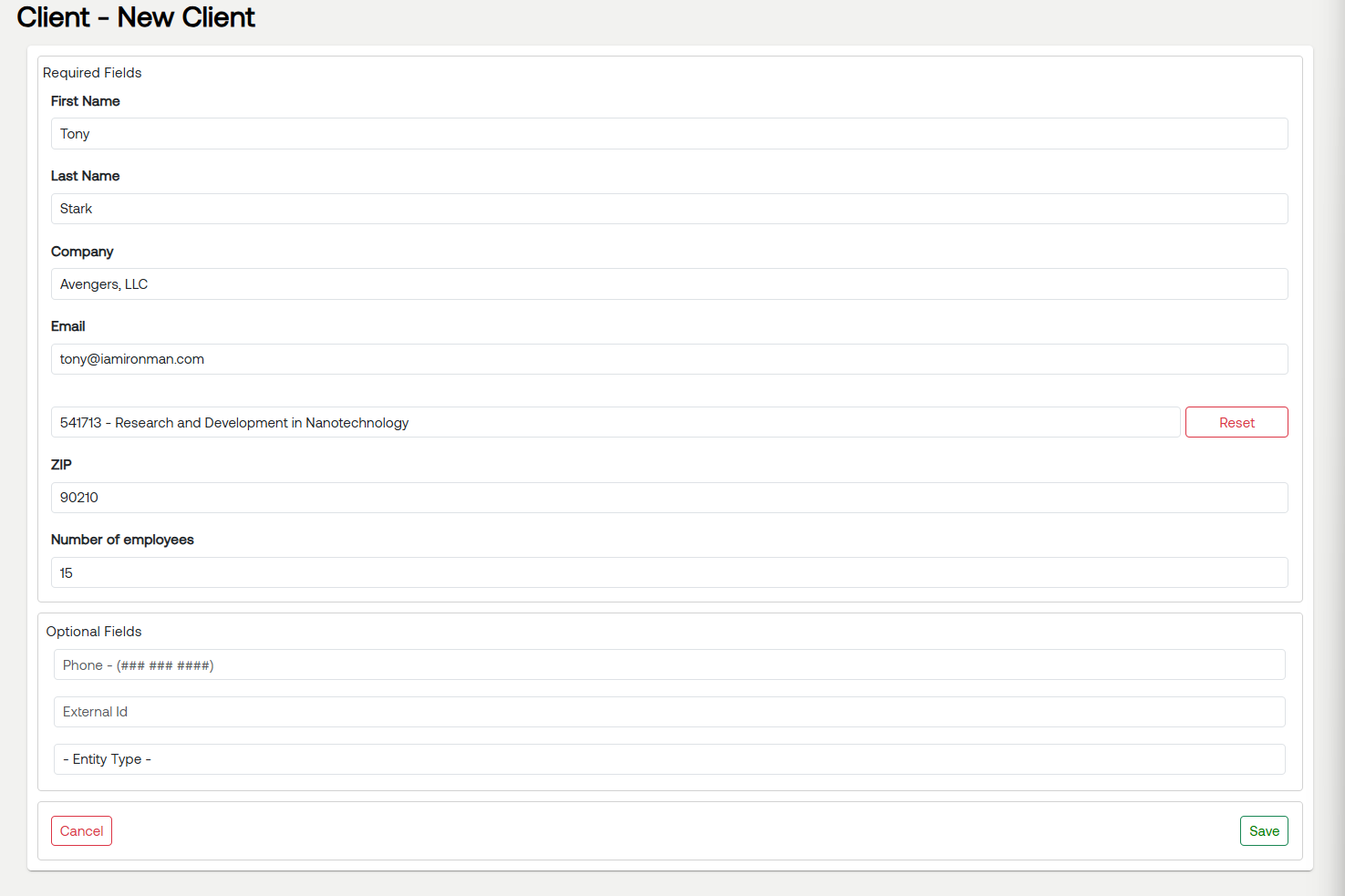
To create a client, the following information is required:
Full Name
Business Name
Email Address
ZIP Code
NAICS Code
Number of Full-Time Employees
The ZIP Code, NAICS Code, and Number of Full-Time Employees are used to generate the client’s benchmark range.
What Happens After You Create a Client
Once a client is created:
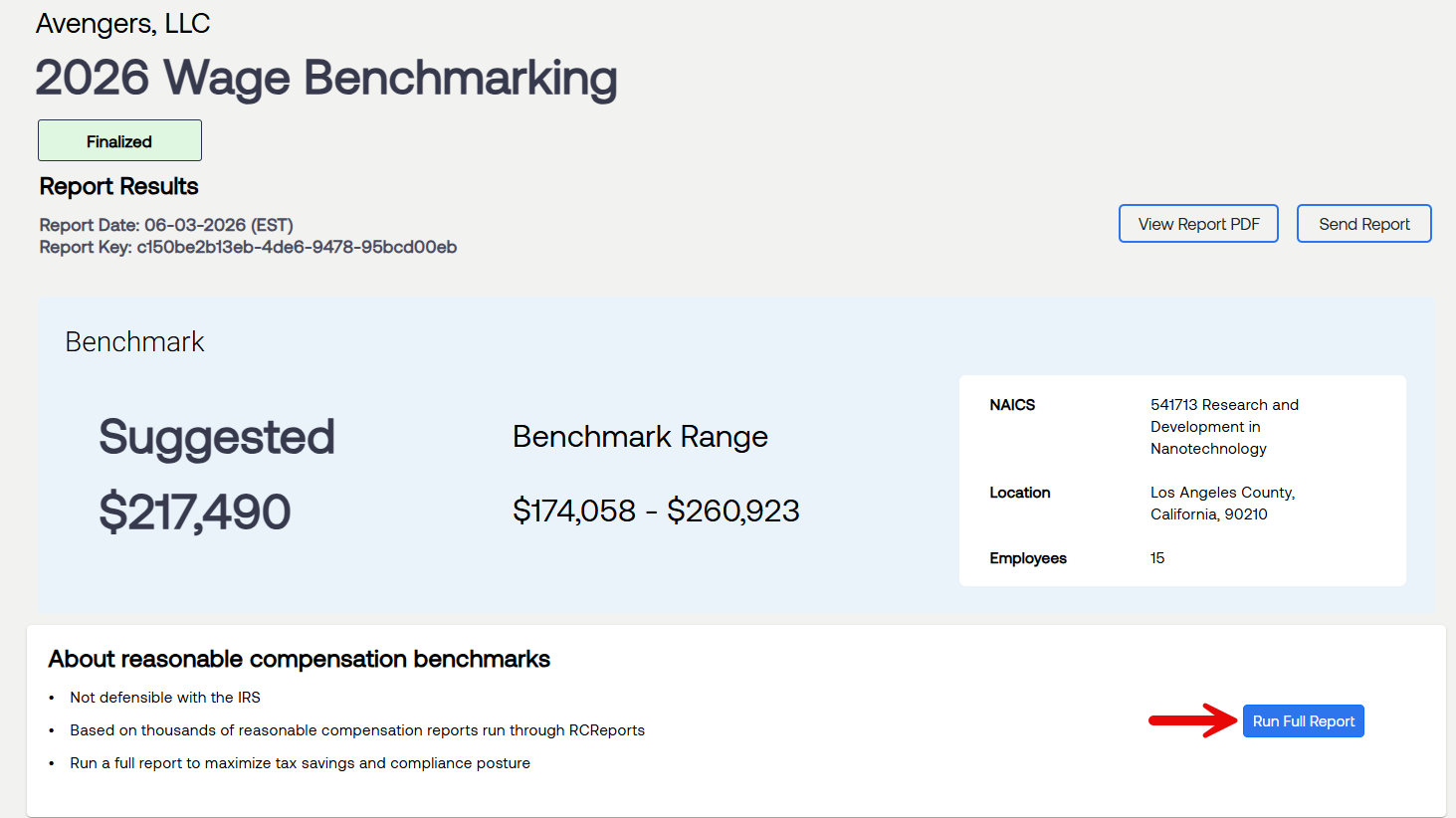
A benchmark is automatically generated
A compensation range is immediately available
No additional action is required to produce the benchmark
Next Step: Generate a Full Reasonable Compensation Report
The benchmark provides an initial range, but it is not a fully defensible conclusion.
A full RCReports analysis should also be generated to:
Provide a complete reasonable compensation calculation
Support compliance and documentation requirements
Ensure the client’s wage is fully defensible
Best practice is to generate a reasonable compensation report for each client, each year.
Key Takeaway
Creating a client automatically generates a benchmark and provides an immediate starting point. From there, generate a full reasonable compensation report to complete the analysis.