

Cancel Auto-Renew/Remove Old Credit Card
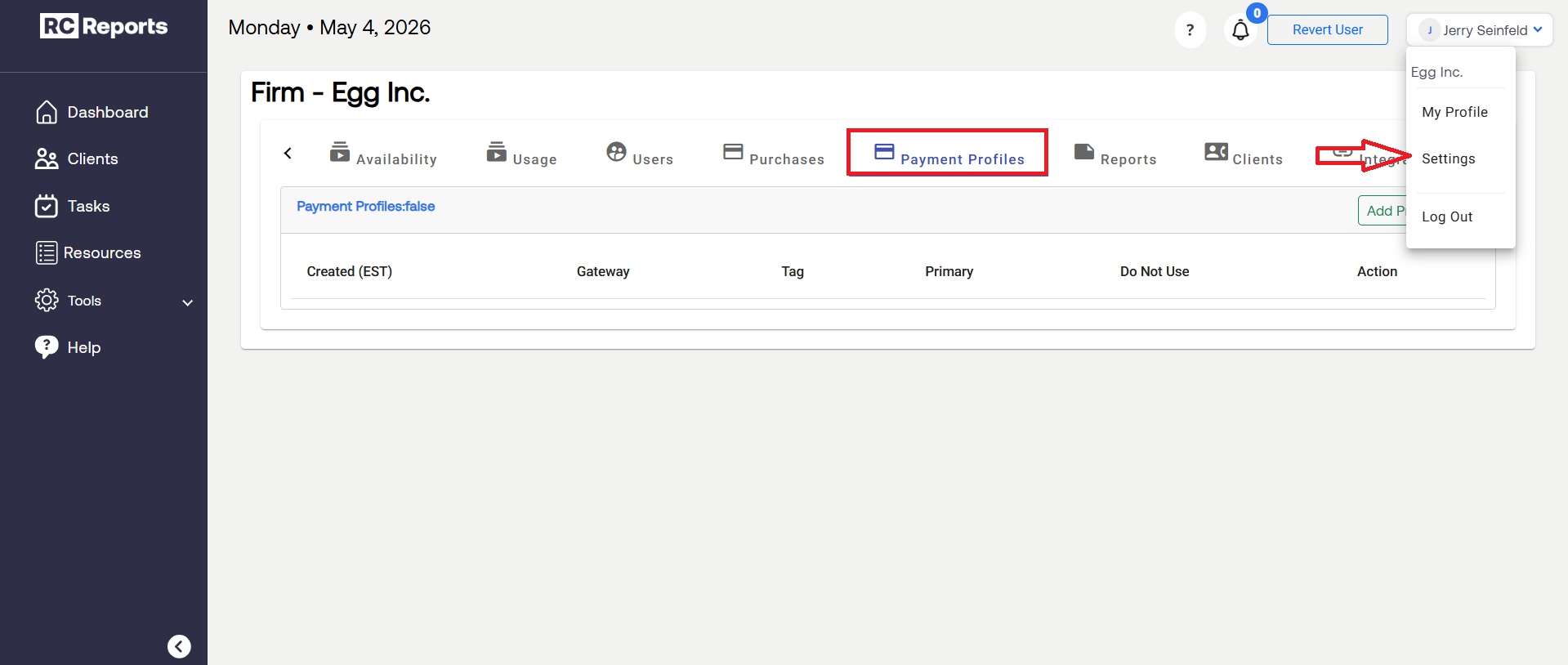
To find the account's credit card information, select Settings under the drop-down bar and under the tab Payment Profiles the credit card will appear.
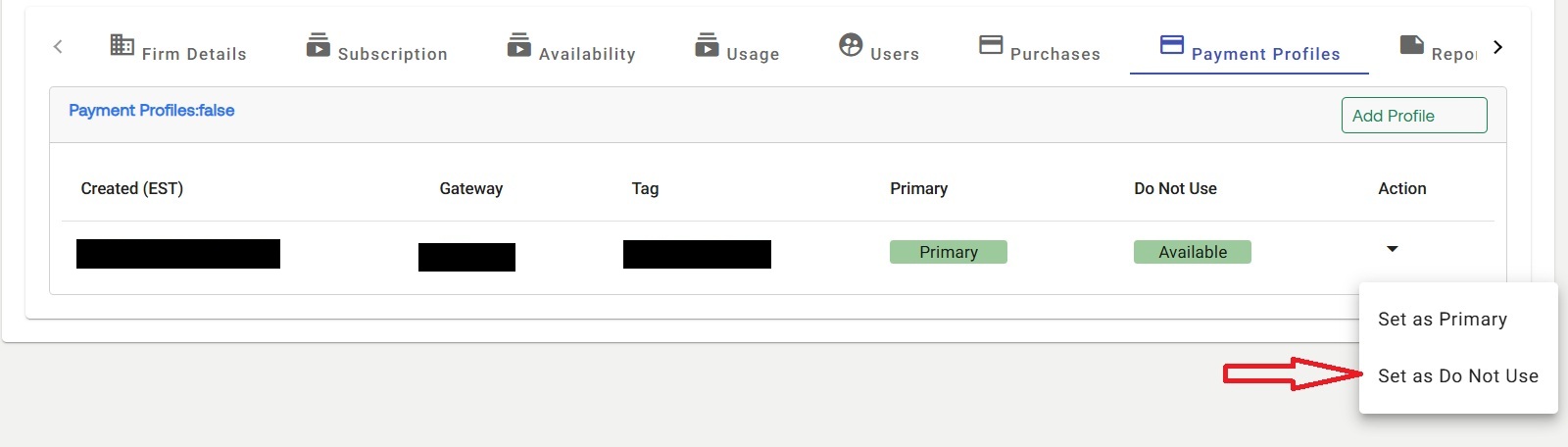
To remove the old credit card or to turn off auto-renew, select the Action drop-down menu on the card and select Set as Do Not Use.
If a new card is not added to replace the old one, the subscription will not autorenew and your account will be deactivated when the renewal period ends.
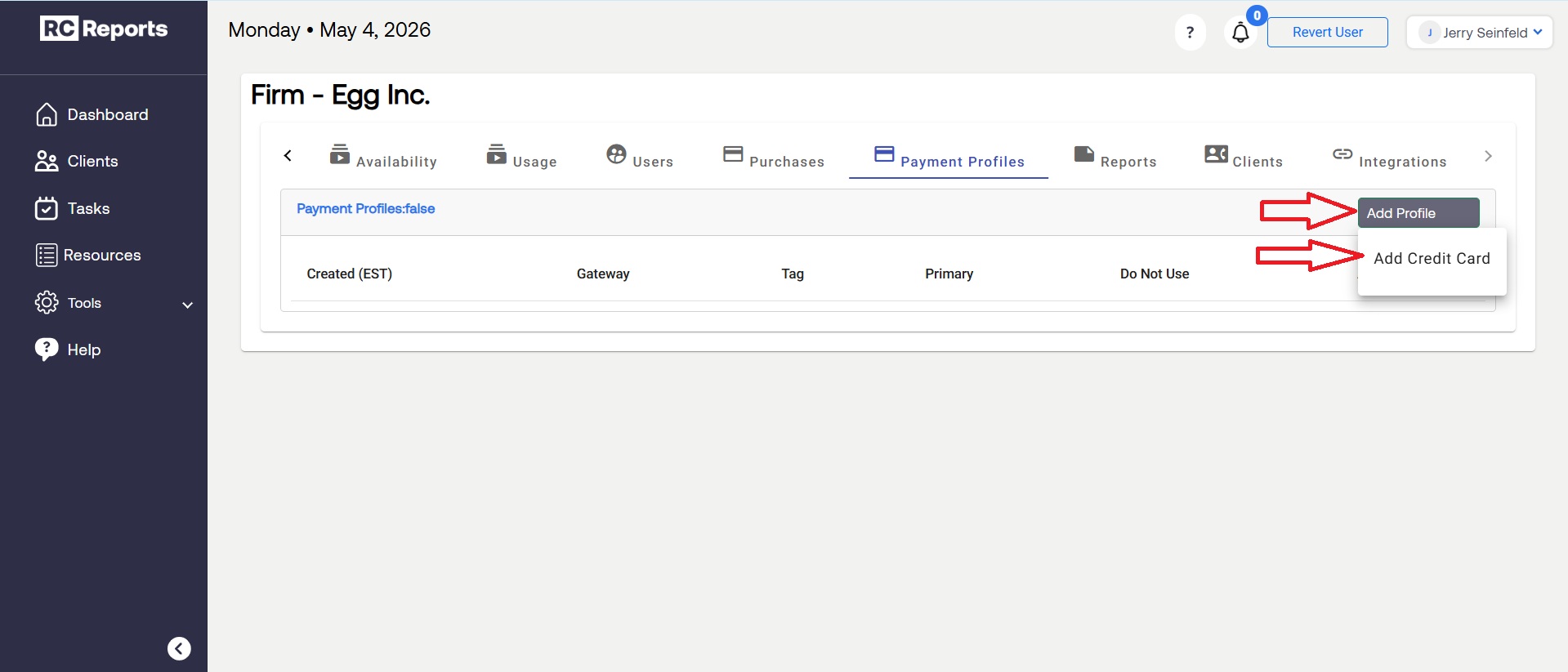
Add a New Credit Card
To then add a new credit card, select Add Profile and then Add Credit Card
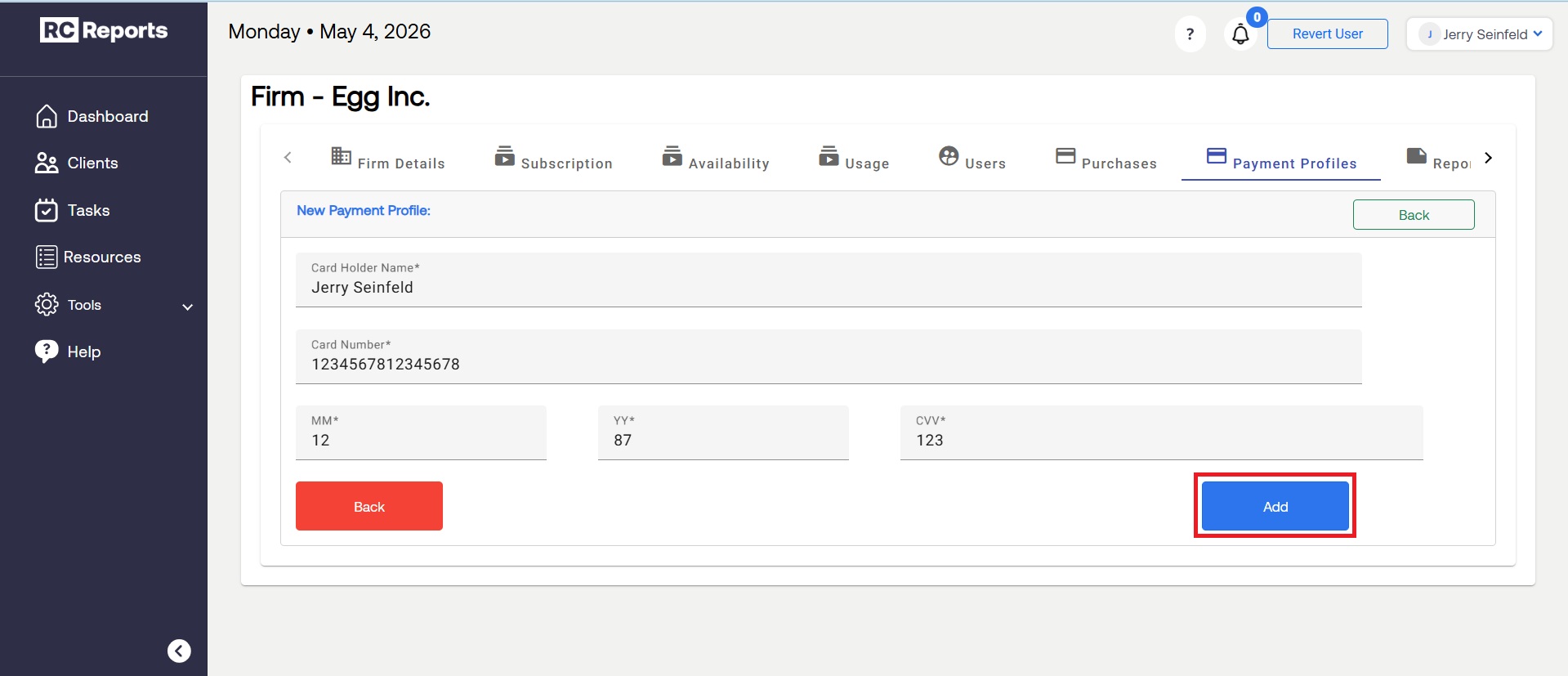
From here, enter the new credit card information and hit Add at the bottom to complete the process.
For questions or concerns, contact RCReports at 720-279-8800 or support@rcreports.com